
Track Time Against Every Project and Task
Whether you're billing clients, managing a team or simply understanding where your hours go, TimeMagick records every hour against the right client, project and task, ready for budgets, billing and profitability.
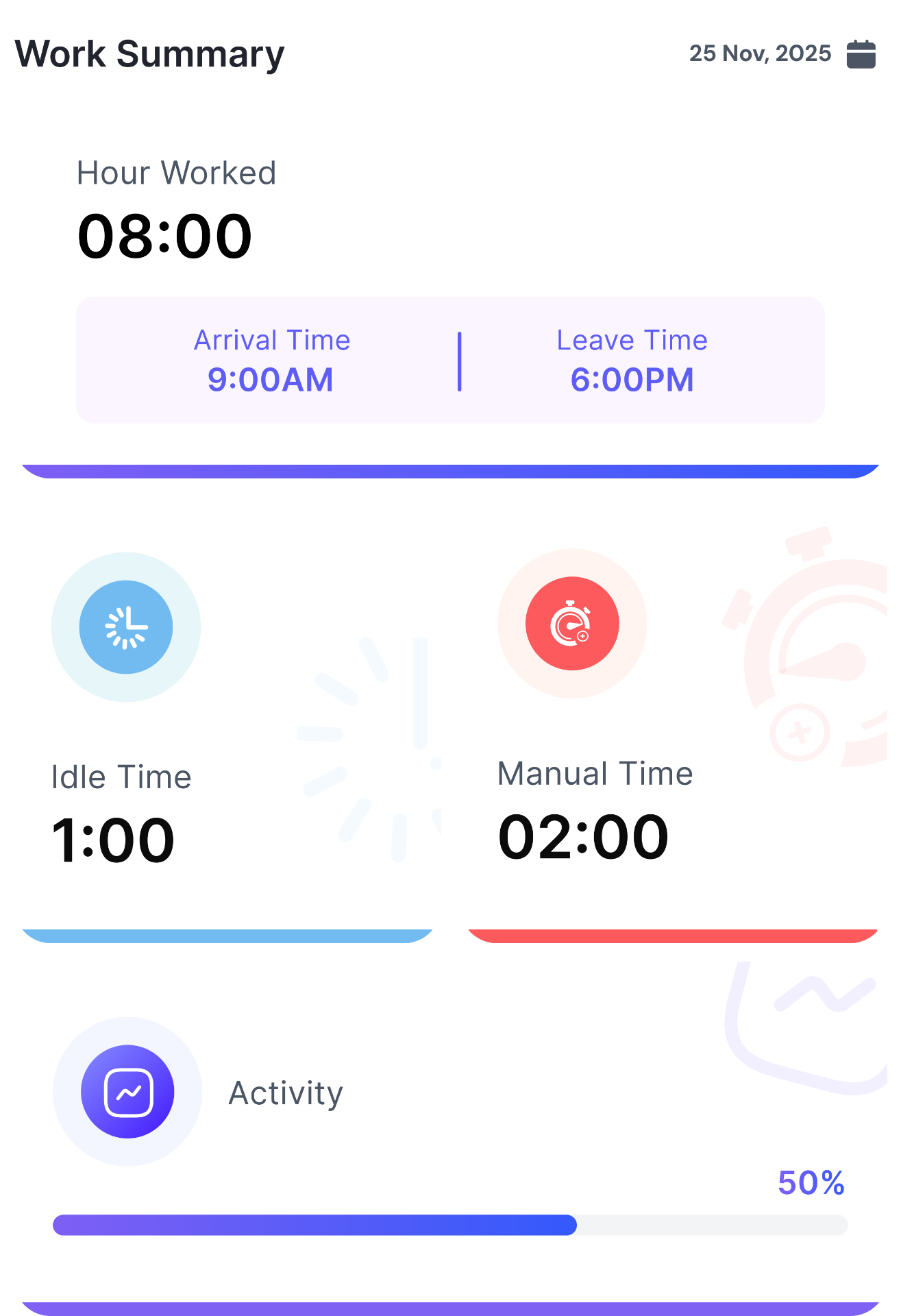
How It Works
Start Your Timer
Select a project and task, then press Start in the desktop app, on mobile or on the web.
Work Normally
Work as usual while the timer runs. When your work changes, switch to another task in the app.
Review & Export
View your time data in reports, generate invoices, or export for payroll.
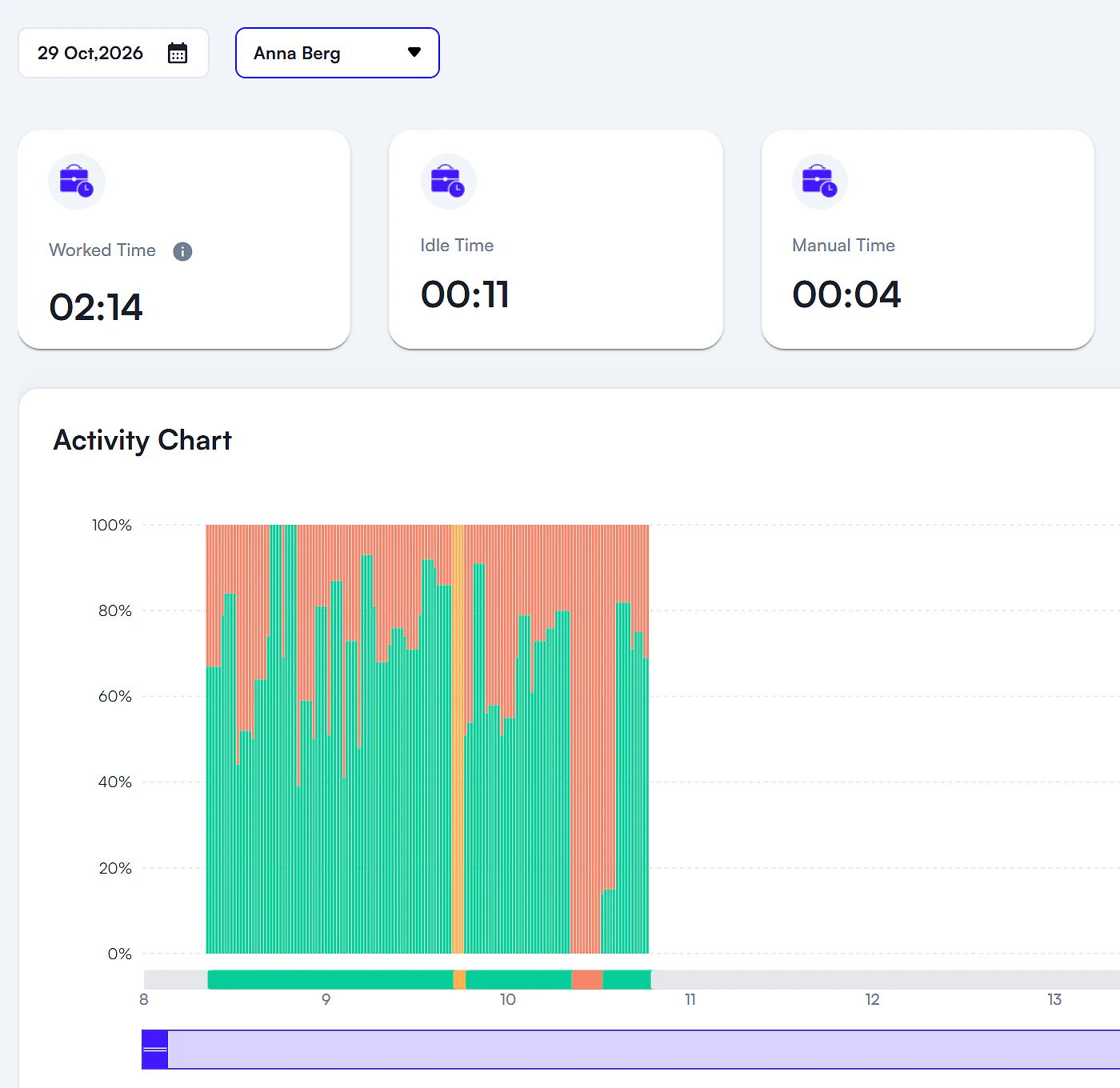
See Every Minute in Detail
The activity timeline shows exactly how time is spent throughout the day — which apps, which projects, and when breaks happen.
Because every hour is recorded against a project and task, the same hours feed project budgets, billing and the profitability KPIs. See billing & invoicing · See profitability
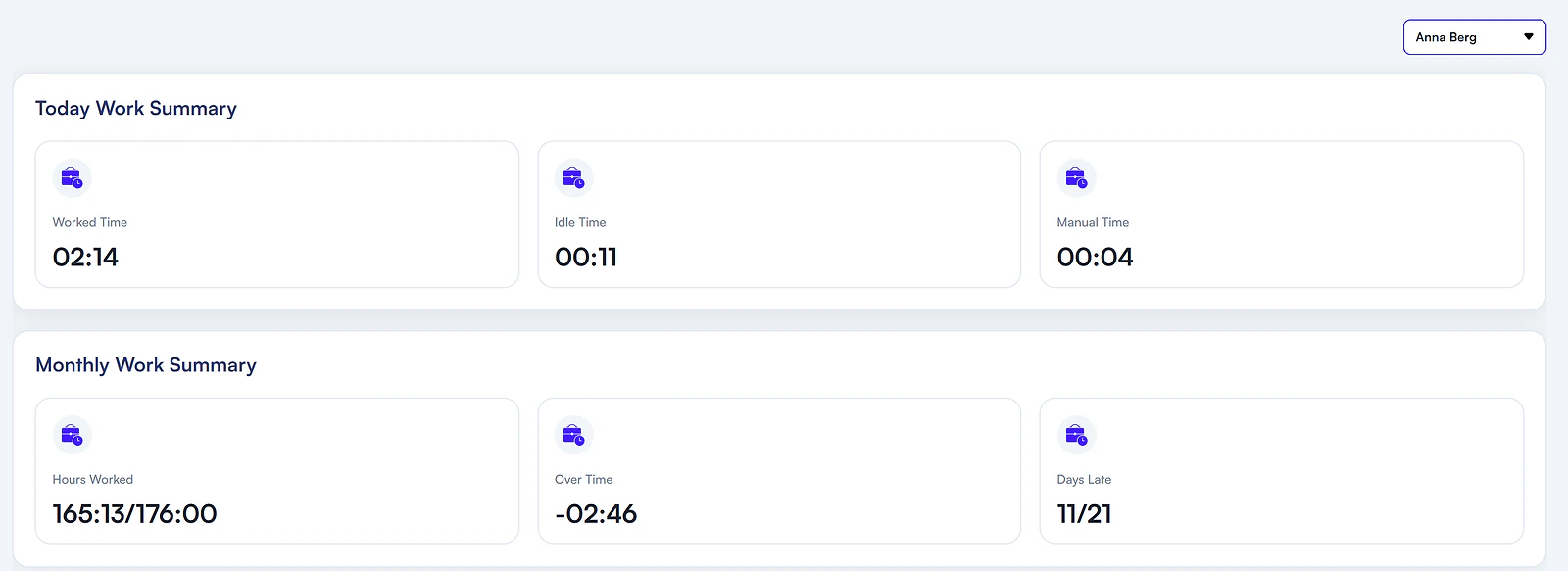
Personal Dashboard for Every Member
Each team member gets their own dashboard with a summary of hours worked, tasks completed, and productivity trends — keeping everyone aligned and motivated.
Time Tracking Features
Built for accuracy, designed for simplicity. Every feature exists to save you time—not add to your workload.
One-Click Timer
Choose the project and task, then start tracking with a single click. The timer keeps running while you work, and you can add manual time with a reason.
Activity While You Work
While the timer runs, the desktop app records activity levels and which apps and websites are used, classified productive, neutral or unproductive.
Instant Timesheets
Generate payroll-ready timesheets in one click. Filter by project, client, or team member—then export them.
Stop Losing Time. Start Tracking It.
Record time against the right project and task from day one. Free for 30 days.